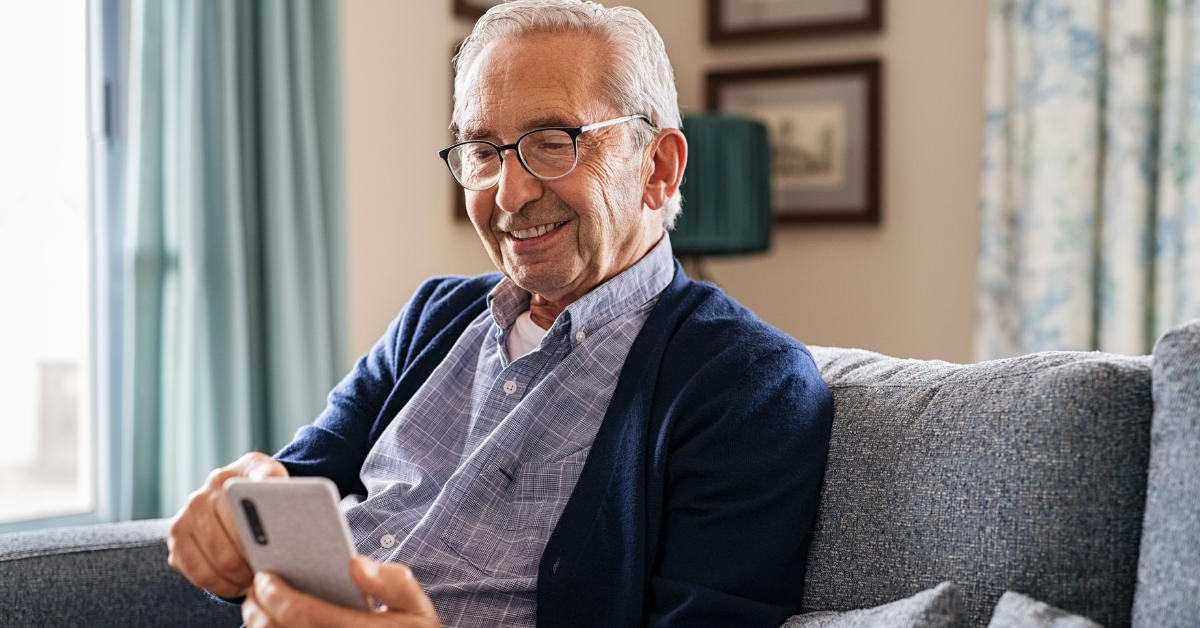
How to Use Your Smartphone to Stay Safe and Independent
Smartphones are powerful tools that can help seniors stay connected, safe, and independent. With a variety of features and apps designed to improve safety and assist with daily tasks, smartphones have become essential for navigating the modern world. Whether you’re looking for ways to keep track of your health, stay in touch with loved ones, or ensure your safety during emergencies, your smartphone can be a reliable companion.
Here’s how to make the most of your smartphone to stay safe and independent.
1. Set Up Emergency Contacts
One of the most important things you can do with your smartphone is set up emergency contacts. Most smartphones allow you to designate specific people who can be contacted quickly in case of an emergency. These contacts can be accessed even when your phone is locked, ensuring that help is just a tap away when you need it most.
On both iPhones and Android devices, you can set up an emergency SOS feature, which allows you to quickly contact emergency services by pressing a combination of buttons. This feature can be life-saving in situations where you need immediate help.
Pro Tip: Make sure your emergency contacts are up-to-date and include people who live nearby or are familiar with your medical history.
How to do it: On iPhone, go to the Health app, tap your profile picture, and select “Medical ID” to add emergency contacts. On Android, go to the Contacts app and select “ICE” (In Case of Emergency) to designate contacts.
2. Use Location Sharing for Peace of Mind
Location sharing is a great way to give family members or close friends peace of mind while allowing you to maintain your independence. By sharing your location with trusted contacts, you can ensure that someone always knows where you are, which is particularly helpful during outings or travel.
Many apps, including Google Maps and Apple’s Find My Friends, allow you to share your real-time location with selected individuals. This feature can be reassuring if you get lost or find yourself in a situation where you need assistance.
Pro Tip: You can turn location sharing on or off as needed, so you maintain control over who sees your location.
How to do it: On iPhone, use the Find My app to share your location with selected contacts. On Android, you can share your location through Google Maps by tapping your profile picture, selecting “Location sharing,” and choosing contacts.
3. Download Health and Safety Apps
Your smartphone can be a valuable tool for monitoring your health and ensuring your safety. Several apps are specifically designed to help seniors stay on top of their health and manage emergencies.
These include:
Medical Alert Apps: Apps like Life360 and iMedAlert allow you to quickly contact emergency services, notify family members, and provide medical information in case of an emergency.
Medication Reminders: Apps like Medisafe and MyTherapy help you stay on track with your medications by sending reminders and tracking your intake.
Fall Detection Apps: Some apps, like FallSafety, can detect when you’ve fallen and automatically alert emergency contacts or services.
Pro Tip: Explore the app store on your smartphone to find apps that meet your specific needs, whether it’s tracking your health or providing quick access to help during an emergency.
4. Enable Voice Assistance for Hands-Free Use
Voice assistants like Siri (on iPhones) or Google Assistant (on Android phones) can make it easier to use your smartphone without needing to type or touch the screen. These assistants allow you to make phone calls, send text messages, search the internet, and even control smart home devices—all through simple voice commands.
Voice assistants are particularly helpful in situations where you may not be able to use your hands, such as while cooking or driving. You can also ask your voice assistant to remind you of important appointments, set timers, or even alert you to weather changes.
Pro Tip: Practice using voice commands to familiarize yourself with the options your assistant offers. You can ask it things like “Call my daughter,” “Set a reminder,” or “Where’s the nearest pharmacy?”
How to enable it: On iPhone, enable Siri in the Settings under “Siri & Search.” On Android, enable Google Assistant in the Google app under “Settings” and “Assistant.”
5. Use Smartphone Camera for Safety and Documentation
Your smartphone’s camera isn’t just for taking pictures of your grandkids—it can also be a useful tool for safety. Use the camera to document important information, such as medication labels, your driver’s license, or insurance cards. Having these photos stored on your phone can be helpful if you lose the original documents or need quick access in an emergency.
You can also use the camera to document accidents, hazards, or any suspicious activity you may encounter. If you’re ever in a situation where you feel unsafe, taking a photo or video can provide valuable evidence.
Pro Tip: Create a specific album on your phone for essential documents and safety-related photos, so they’re easy to find when you need them.
6. Install Smart Home and Security Apps
Smartphones can be paired with smart home devices to enhance your safety at home. For instance, you can install apps that allow you to control security cameras, smart locks, or even adjust the thermostat from your phone. This is especially helpful if you have mobility issues or want to check on your home while you’re away.
Smart home devices like Ring doorbells, which provide video surveillance of your front door, can be controlled from your smartphone, allowing you to see who’s at the door without needing to get up.
Pro Tip: Start small by installing one or two smart devices that are easy to use, such as a smart light or a video doorbell, and expand as you feel more comfortable with the technology.
7. Keep Your Smartphone Charged and Accessible
While all of these features are incredibly useful, they’re only effective if your smartphone is charged and accessible when you need it. Make it a habit to charge your phone overnight and carry it with you during the day. Many seniors find it helpful to invest in a portable charger to ensure their phone stays powered during outings.
Pro Tip: Set a daily reminder to check your battery level and make sure your phone is within easy reach, especially at home or when running errands.
Your smartphone can be a powerful ally in helping you stay safe and independent, especially as you age. From emergency contacts and location sharing to health monitoring and smart home control, there are countless ways to leverage your smartphone’s features to protect yourself and maintain your independence. By taking advantage of these tools, you can stay connected, secure, and confident in your ability to navigate everyday life with ease.